Copilot Can Now Stop Skills, Hooks and MCP Servers From Arriving Loose

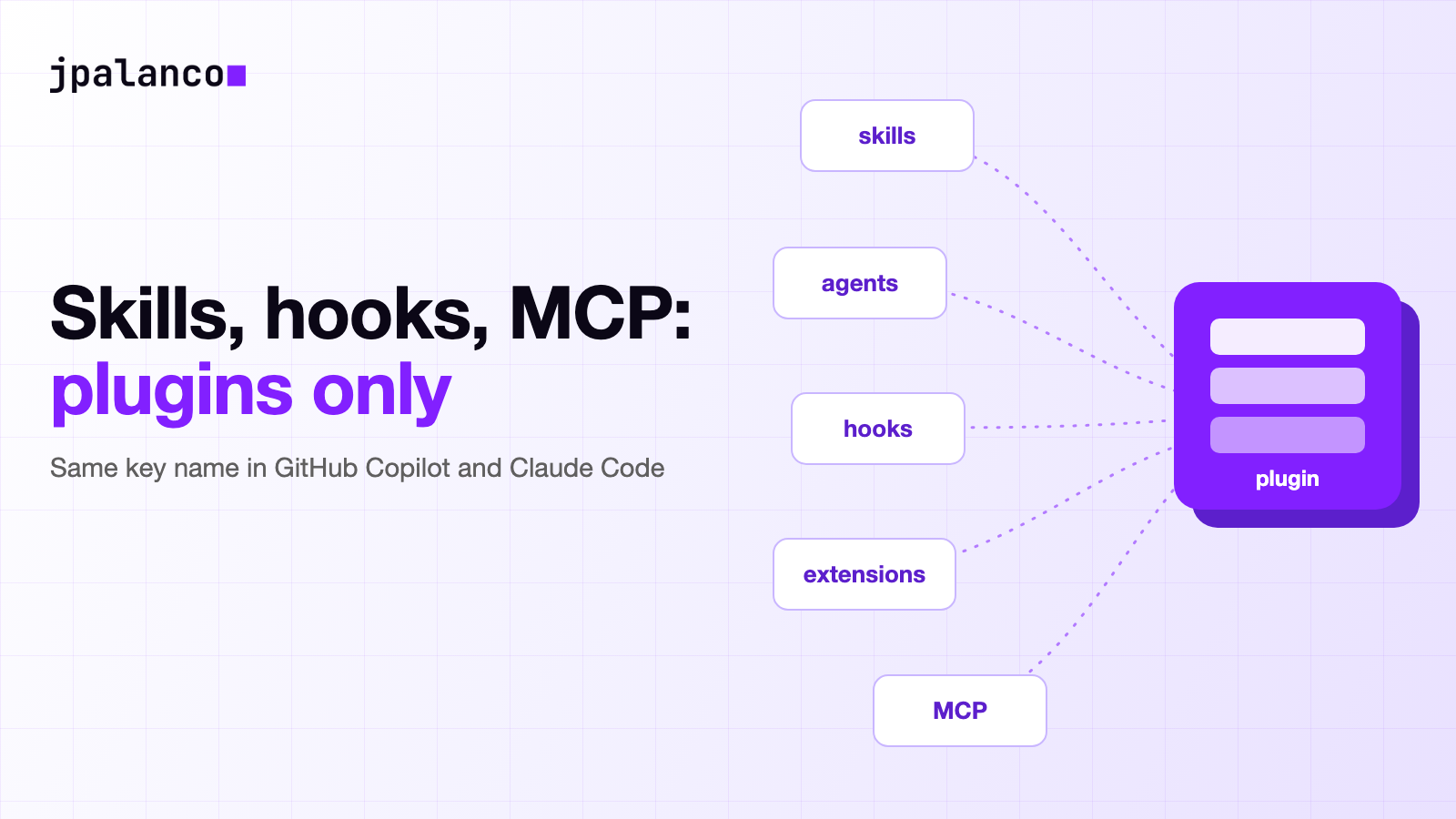
On November 16, GitHub published a one-minute entry in its changelog: Control where GitHub Copilot customizations come from. It introduces a managed setting called strictPluginOnlyCustomization. With it, an enterprise administrator can require certain Copilot customizations to arrive only through plugins or managed settings, and not from user or project sources.
What stands out most is not the feature but the name. The Claude Code settings reference documents a key with exactly the same name. Two coding agents from two different vendors are converging on the same control, and that says something about where the risk now sits.
My reading is this: an agent’s configuration has become a supply chain without a manifest. This setting is a serious attempt to put a customs post on it.
But a customs post only controls the gate where it stands, and it pays to know which gates stay open.
What exactly did GitHub announce?
According to the changelog entry, strictPluginOnlyCustomization blocks standalone customizations that come from user and project sources. Eligible plugins and managed settings remain allowed, subject to the rest of the organization’s policies.
The restriction covers five categories: skills, custom agents, hooks, MCP servers and executable Copilot extensions. You can block all of them or pick them one by one, for example restrict MCP servers and extensions and leave skills, agents and hooks open.
GitHub also clarifies that the extensions in this list are executable canvas providers, not VS Code Marketplace extensions.
The most important part of the entry is a warning. “Plugin-only” does not mean admitting only enterprise-managed plugins, and it does not work as an allowlist of marketplaces. To limit where those plugins can come from, you have to combine it with strictKnownMarketplaces.
The setting is available on GitHub Enterprise Cloud for members with Copilot Business or Copilot Enterprise licenses issued by the enterprise or by one of its organizations.
There are three things the entry does not say: which Copilot clients enforce the key, which minimum version is required and whether it is in preview or generally available.
Also, when I checked the Copilot managed settings reference on November 17, its table listed 20 keys and strictPluginOnlyCustomization was not among them. It may be a simple documentation lag, but today there is no reference page that describes its behavior client by client.
Why is an agent’s configuration a supply chain?
A skill is a set of instructions the agent follows. A hook is code that runs at specific moments in the session. An MCP server is a process that gives the agent new tools, often with access to the network, the file system or credentials.
All of that can arrive through paths nobody reviews. An MCP configuration file in the repository travels with a git clone, and a skill in the developer’s personal folder shows up in no inventory.
And the agent itself can write that configuration when someone asks it to “connect to GitHub”.
That last case already has a name. In its McPhantom research, dated November 2 (the page also shows November 10), Glow Labs describes coding agents that install already archived reference MCP servers. According to Glow, in 98% of the reviewed sessions in which an agent configured an obsolete server, the apparent reason is that the model remembered that name from its training data; in the remaining 2%, the user asked for it by name.
Glow adds that it found four high-severity vulnerabilities in those archived servers, including remote code execution in the Puppeteer server through prompt injection. According to Glow, the maintainers replied that the repository has been archived since May 2025 and that there will be no fix. Glow puts the npm downloads of those servers since July 2025 at 17 million.
These are figures from a company that sells agent inventory, not an independent replication. The entry does not say how many sessions it reviewed, and Glow says it has not seen exploitation and that, at the time of publication, no CVEs existed for those flaws.
What it does show is the mechanism: a component with broad permissions lands on a developer’s laptop without passing through any dependency file. The question is no longer only which dependencies a project declares, but also what the agent has configured, from where and with which permissions.
How did GitHub get here?
The new setting is the latest piece of a system GitHub has been building since at least June; the June entry already relies on managed plugins launched earlier. I put the changelog entries that build it in order:
| Date | Change | Where it applies, according to GitHub |
|---|---|---|
| June 25, 2026 | strictKnownMarketplaces in public preview: only plugins from defined marketplaces get installed | VS Code and Copilot CLI |
| July 1, 2026 | managed-settings.json generally available, with 5 keys | VS Code and Copilot CLI |
| July 27, 2026 | The Copilot app and the cloud agent read the applicable settings | The app and the cloud agent join |
| November 16, 2026 | strictPluginOnlyCustomization for 5 customization categories | Not stated |
The delivery mechanics matter to understand what it guarantees. The file lives at copilot/managed-settings.json inside a .github-private repository of a chosen organization. According to the July 1 entry, Copilot downloads it every time the user authenticates, keeps it in memory and refreshes it every hour.
The July 27 entry spells out the timing: clients apply a change in about an hour, on restart or on signing in again, and it can also be deployed through MDM or with a distributed file. The controls on bypassing confirmations apply only to interactive clients.
That same entry stated in July that the cloud agent uses only the approved plugins and marketplaces. The current reference qualifies that statement. Its compatibility table, checked on November 17, marks enabledPlugins, extraKnownMarketplaces and strictKnownMarketplaces as not supported in “Copilot in the cloud (sandbox)”, the default cloud environment, and supported in the variant that runs on GitHub Actions.
What does each product block and let through?
I put the two sets of documentation side by side. Claude Code’s is much more detailed on this point, so the comparison also shows what GitHub has not written yet:
| GitHub Copilot | Claude Code | |
|---|---|---|
| Surfaces | skills, custom agents, hooks, MCP servers, executable extensions (5) | skills, agents, hooks, mcp (4) |
| Format | all or a selection (the changelog does not show the syntax) | true for all or a list with the names |
| What gets blocked | customizations from user and project sources | for example ~/.claude/skills/, .claude/skills/, ~/.claude.json and .mcp.json |
| What still loads | eligible plugins and managed settings | bundled items, managed policy directory and plugins except skills-directory ones |
| Key to limit marketplaces | strictKnownMarketplaces | strictKnownMarketplaces |
| Described in the settings reference | no, as of November 17 | yes, surface by surface |
Claude Code’s documentation adds details that change day-to-day operation. Blocking any surface also stops loading the plugins the user places by hand in their skills folders.
Blocking hooks disables the hooks declared in the frontmatter of skills and agents from those sources, and those skills lose their tool pre-approval, except when they run in a subagent with context: fork. There is also a separate setting, disableSideloadFlags, to reject the command-line options that load plugins, agents or MCP servers for a single run.
One detail strikes me as especially important. Claude Code ignores surface names it does not recognize instead of rejecting the file, so that new surfaces can be added before every client is updated.
If I read it correctly, a misspelled surface in that list stays unblocked and the file does not fail. That is a good reason to check the effect on a real client and not just the syntax.
The name overlap goes beyond this key. Of the 20 keys in GitHub’s table, 13 have a name identical to a Claude Code setting: the five under permissions (disableBypassPermissionsMode, deny, ask, allow and defaultMode), model, sandbox, enabledPlugins, extraKnownMarketplaces, strictKnownMarketplaces, allowedMcpServers, deniedMcpServers and forceRemoteSettingsRefresh.
That does not prove they share code or behave the same; the difference between five and four surfaces already shows the semantics are not identical. But it does suggest that the vocabulary of agent governance is becoming standardized de facto, without a formal standard.
What does a “plugin-only” setting not solve?
First, it moves trust, it does not remove it. A plugin can bring its own hooks and MCP servers, so if the allowed marketplace accepts anything, the block has only changed the wrapper.
That is why pairing it with strictKnownMarketplaces is not optional. The GitHub reference accepts an optional ref on github sources, which pins the version of the marketplace repository. It does not document how an entry with ref is matched in the allowlist, and no source I read says this pins the versions of the plugins the marketplace lists.
Second, it does not control what the agent runs in a terminal. Blocking MCP servers from project sources prevents the client from loading that configuration, but it does not, on its own, prevent the agent from launching a package with npx from the shell.
Other keys in the same reference exist for that: the permissions.deny and permissions.ask rules, and the sandbox block. Their coverage also varies: according to GitHub’s table, the deny and ask rules do not apply in JetBrains IDEs or in the cloud on GitHub Actions, and sandbox applies only in the CLI, VS Code and the app, with minimum versions.
Third, each control list has its own limits. In the section on Copilot in the cloud, the reference says that allowedMcpServers and deniedMcpServers apply to MCP servers defined in user and repository settings, but not to those defined in the repository’s custom agent profiles.
GitHub proposes closing that gap by blocking, in the organization’s or repository’s custom firewall, the domains those servers need to start. The documentation I read does not clarify whether strictPluginOnlyCustomization covers that case.
Fourth, everything depends on the client enforcing the policy. Copilot refreshes settings every hour and both products offer forceRemoteSettingsRefresh to require a fresh download at startup.
An old client version or a machine outside central management has no reason to comply with a key that GitHub has not documented client by client.
What would I do before turning it on?
If I administered Copilot or Claude Code at a company, I would follow this order:
- Inventory first. List which skills, agents, hooks and MCP servers teams use today, in personal folders and in repositories. Blocking without an inventory only turns useful work into support tickets.
- Choose the marketplaces and pin their version. Define
strictKnownMarketplaceswith specific repositories and a fixedrefwhere possible, and review which plugins each one publishes. An open marketplace cancels out the rest. - Start with what runs code. MCP servers and hooks before skills. It is the same order GitHub’s example suggests, and it is where arbitrary execution lives.
- Combine it with permissions and sandbox. Deny and confirmation rules for the shell and the network, because blocking sources does not cover what the agent runs directly.
- Verify on each client. Test with a known project configuration in VS Code, the CLI, the app, JetBrains IDEs and the cloud agent, and check that it is ignored. Repeat it when GitHub publishes the reference for the key.
None of these steps is new. It is what is already done with dependencies, container images and CI actions: decide the source, pin the version and check that the policy is enforced. The difference is that now the one adding the component can be the agent itself.
If you are interested in the other side of this problem, in Hermes Agent: When an AI Skill Needs a Lock I wrote about protecting a skill against edits by the agent itself.
Sources
- GitHub Changelog, Control where GitHub Copilot customizations come from, November 16, 2026.
- GitHub Changelog, Enterprise-managed settings now support strictKnownMarketplaces in VS Code and GitHub Copilot CLI, June 25, 2026.
- GitHub Changelog, Enterprise managed-settings.json is generally available, July 1, 2026.
- GitHub Changelog, Enterprise managed settings in the GitHub Copilot app and Copilot cloud agent, July 27, 2026.
- GitHub Docs, Enterprise managed settings, accessed November 17, 2026.
- GitHub Docs, Managing plugin marketplaces and plugins with enterprise-managed settings, accessed November 17, 2026.
- Claude Code Docs, All settings, accessed November 17, 2026.
- Glow Labs, McPhantom: AI Coding Agents Are Installing Vulnerable Deprecated MCP Servers from Training Data, November 2, 2026.